
Summary:
Innovative and results-driven professional with a strong background in [your field: e.g., software engineering, product management, data analysis]. Experienced in designing and implementing scalable solutions, optimizing workflows, and driving measurable business outcomes. Adept at collaborating across multidisciplinary teams, leveraging data to inform decisions, and translating complex problems into actionable strategies. Passionate about using technology to create impactful, user-centric products and continuously learning in a fast-paced, high-performance environment.
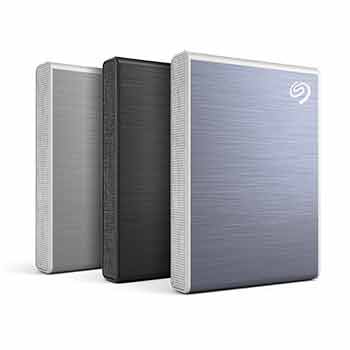
In the crowded marketplace of external storage—where brand loyalties fade as quickly as product lines—it’s easy to feel unmoored. For years, I leaned on Crucial for dependable drives. With that option no longer in reach, the search began again: a compact, high-performance external SSD, ideally 1TB, capable of unclogging a Mac without adding clutter.
That search led back to a familiar name: Seagate. Among its current lineup, one device stands out less for flash than for focus—the Seagate One Touch SSD. Compact to the point of near invisibility and built around fast solid-state architecture, it mirrors the kind of M.2 storage once tucked inside high-end desktops, now repackaged for mobility.
What You’re Actually Getting
Seagate One Touch SSD 1TB
$99
Seagate One Touch SSD 2TB
$159.99
This drive is small—almost wallet-sized—and designed for plug-and-play portability, with capacities up to 2TB and read speeds that can reach roughly 1030 MB/s in optimal conditions (Seagate.com). It’s compatible with both Windows and macOS systems, though some setup is required depending on your workflow (Seagate.com).
The Experience: Clean, Fast… Slightly Incomplete
The Seagate One Touch SSD delivers where it matters most: speed, silence, and simplicity. Transfers are brisk, backups feel instantaneous, and the device disappears into your workflow.
But there’s a catch—one that shows up the moment you open the box.
The included USB cables are very short. On a desktop, that’s fine. On a laptop, it’s awkward. The drive can end up dangling mid-air, putting stress on the USB-C port over time. And according to user discussions, connection issues are sometimes traced back to cables rather than the drive itself—a reminder that accessories matter more than they should (Windows 10 and 11 only) (Reddit).